The waitlist page mistakes that kill conversion
Seven common errors we see on waitlist pages every week, and the quick fixes that double sign-up rates.
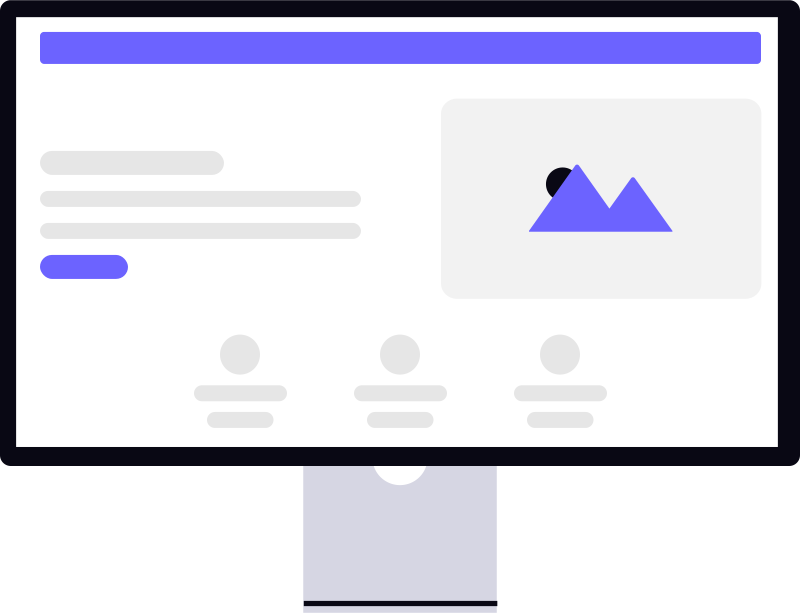
Some waitlist pages convert at 15 to 20%. Others, with comparable traffic, sit at 2 to 3%. The difference is rarely the product. It is almost always one of the same handful of mistakes.
Here are the seven we see most often — and the fix for each.
1. The headline describes features instead of outcomes
"AI-powered project management with smart scheduling" tells visitors what the product does. It does not tell them what changes in their life if they use it.
Compare:
| Before | After |
|---|---|
| "AI-powered project management with smart scheduling" | "Ship projects on time, every time, without the weekly status meeting" |
| "Automated invoice processing for finance teams" | "Close your books in hours, not days" |
| "Real-time collaboration for design teams" | "Stop losing work to version confusion" |
Both columns describe the same products. The right column makes a tired person think yes, exactly. Write headlines for the person, not the product.
The fix: Rewrite your headline as a problem/solution or a before/after. The visitor should see themselves in it within three seconds.
2. The form asks for too much, too early
Every extra field costs you signups. Research consistently shows:
- One extra required field beyond email drops conversion by 10 to 20%
- Three or more required fields can cut conversion by 50% or more
- Optional fields cost less but still add friction
Some fields are worth the trade-off. "What is your biggest challenge with X?" can produce genuinely useful research data. But do not ask for five things when one will do.
The fix: Collect email first. Add at most one custom field if you have a strong reason. You can always ask for more after someone has signed up and is already invested.
3. No social proof anywhere on the page
People follow people. An empty waitlist with no signal that anyone else cares creates doubt.
Social proof options, roughly in order of impact:
- Signup count ("Join 843 founders already on the list")
- Named testimonials with a real photo
- Company logos from recognisable early users
- Press mentions
- Generic star ratings (least effective, but better than nothing)
Even modest social proof helps. "Join 43 founders already on the list" beats a page with no numbers at all.
The fix: Add at least one form of social proof. Update the signup count as the list grows — a rising number creates urgency.
4. The CTA button says "Submit"
"Submit" is what you do to a form you resent. It has no energy, no specificity, no sense of what happens next.
Better button copy:
- "Get early access"
- "Join the waitlist"
- "Reserve my spot"
- "Get notified at launch"
In one well-known A/B test, changing a button from "Submit" to "Get started" increased conversion by 14%. The words on the button are not decoration — they are part of the decision.
The fix: Change the button text to a first-person action phrase. "Get early access" converts better than "Submit" on every product we have seen.
5. The page loads slowly on mobile
More than half of your traffic will arrive on a phone. A page that takes more than three seconds to load on a 4G connection loses a significant chunk of those visitors before they read the headline.
The usual culprits:
- Images not compressed or served at appropriate sizes
- Too many third-party scripts (chat widgets, analytics, fonts)
- No lazy loading on below-the-fold content
- Render-blocking CSS or JavaScript
The fix: Test on a real mobile device on a real connection — not just Chrome DevTools simulation. Use PageSpeed Insights to identify the specific issues. Compress images. Defer anything not critical to the above-the-fold experience.
6. There is no explanation of what the product actually does
Some founders are so deep in their own idea that they forget visitors arrive with zero context. "The future of work, reimagined" tells a visitor nothing, and nothing is not enough to make someone hand over their email address.
A good product description answers three questions:
- What does it do?
- Who is it for?
- What problem does it solve?
It does not need to be long — two to three sentences is enough. It needs to be clear.
The fix: Add a short plain-language description directly below the headline. If your neighbour could not understand it, rewrite it.
7. The confirmation experience is a dead end
Most waitlist pages redirect to a generic "thanks for signing up" screen and stop there. That is a wasted opportunity.
The confirmation page is your highest-converting screen. The person just made a decision. They are engaged, they have goodwill, and they have not yet moved on to the next tab.
Use that moment:
- Show the referral link prominently with one-click copy
- Give them pre-written share text for X and WhatsApp
- Tell them what happens next (when they will hear from you, what to expect)
- Give them a reason to share right now, not later
Treat the confirmation screen like it is your highest-converting page — because it is. It is the one moment where you have someone's full attention and genuine goodwill at the same time.
Pick the one mistake that matches your current page. Fix it today. Measure what happens. Small improvements compound quickly at this stage — a 5% conversion lift on 500 monthly visitors is 25 extra signups every month without any additional traffic.
Read more
How to get your first 1,000 waitlist signups
The tactics that work consistently for early-stage founders, none of them require a marketing budget.
Why referral loops work (and how to make yours actually convert)
A deep dive into the psychology behind referral programs and what separates the ones that grow from the ones nobody uses.
Custom fields: collect the right data before day one
Asking for more than an email address feels risky. Here is when it pays off and how to frame the ask.
Start collecting leads today
Launch your first waitlist in minutes. No credit card required.